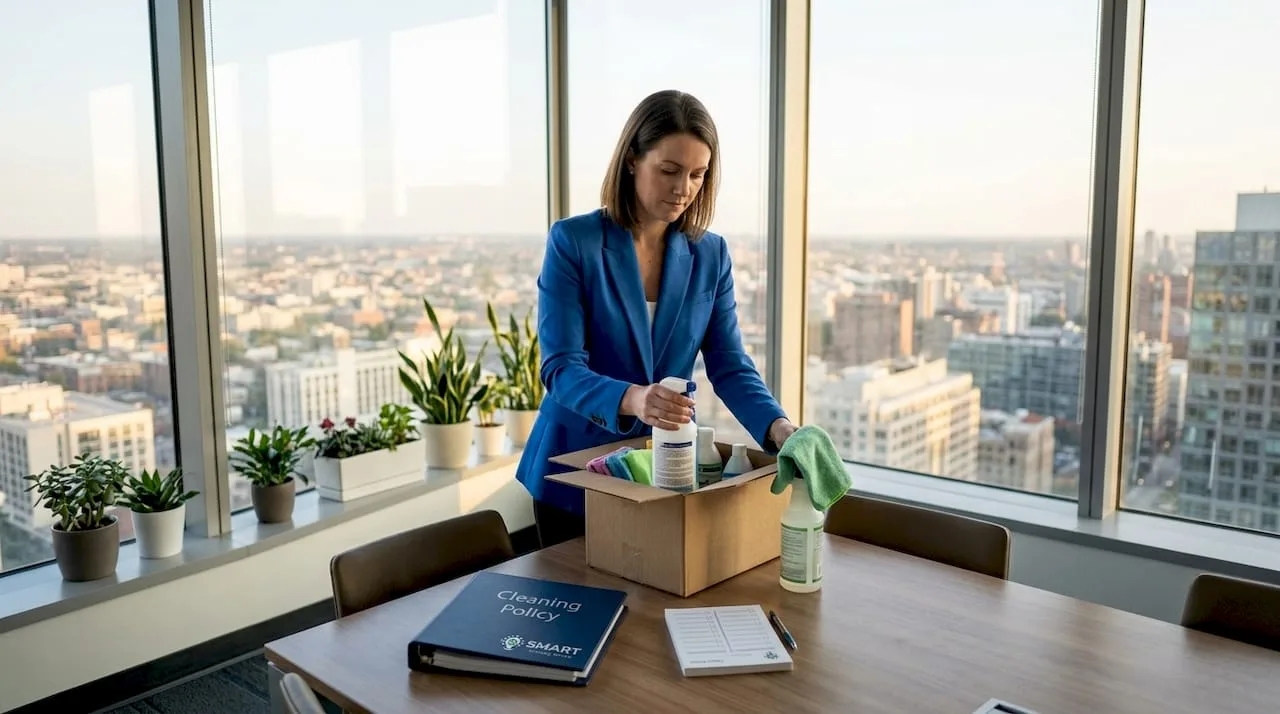
A cluttered, grimy office doesn’t just look unprofessional. It actively costs you. Research shows that office desks harbor 400 times more bacteria than toilet seats, and most employees never think twice about touching their keyboard and then their lunch. If you’re an office manager or business owner trying to figure out how to maintain clean office spaces without it consuming your entire week, this guide gives you a system. You’ll walk away with a cleaning schedule, hygiene protocols, organization strategies, and the behavior design principles that make cleanliness stick.
Table of Contents
- Key Takeaways
- How to Maintain Clean Office Spaces: Tools and Policies First
- Building a cleaning schedule that actually holds
- High-touch surface hygiene: where most offices fall short
- Organizing for long-term cleanliness
- Troubleshooting common mistakes and monitoring standards
- My honest take on office cleanliness
- Professional cleaning support for your office
- FAQ
Key Takeaways
| Point | Details |
|---|---|
| Start with the right tools | Stock your office with EPA-registered disinfectants, microfiber cloths, and clear cleaning policies before anything else. |
| Build a zone-based schedule | Assign daily, weekly, and periodic tasks by area to prevent gaps and reduce custodial workload. |
| Clean before you disinfect | Removing soil first lets disinfectants work; skipping this step defeats the purpose of the product. |
| Target germ hotspots daily | Keyboards, phones, and kitchen faucets carry the highest contamination risk and need daily attention. |
| Design habits, not just checklists | End-of-day resets and visible storage systems make cleanliness a default behavior, not a reminder-dependent task. |
How to Maintain Clean Office Spaces: Tools and Policies First
Before you write a single cleaning schedule or assign any tasks, you need the right materials and a clear framework for who does what. Without both, even the best intentions fall apart by week two.
Cleaning supplies worth having on hand
Your core supply list should include microfiber cloths in at least two colors (one for desks, one for restrooms), EPA-registered disinfectant sprays or wipes, a multi-surface cleaner for glass and hard surfaces, trash liners in multiple sizes, a vacuum with a HEPA filter, and a mop system appropriate for your flooring. For shared kitchens, add a degreaser and separate sponges stored in labeled holders.
| Category | Supplies Needed | Cleaning Zone | Documentation |
|---|---|---|---|
| Disinfection | EPA-registered spray, wipes | Desks, phones, restrooms | Contact time log |
| Surface cleaning | Microfiber cloths, multi-surface spray | Glass, counters, appliances | Color-code chart |
| Floor care | HEPA vacuum, mop system | All flooring, entryways | Weekly checklist |
| Waste management | Trash liners, recycling bins | All work areas | Daily sign-off sheet |
| Kitchen sanitation | Degreaser, labeled sponges | Break room, sink area | Weekly inspection form |
The best cleaning supplies for offices are not necessarily the most expensive. They are the ones your team will actually use correctly. That means selecting products with clear label instructions and training staff to follow them.
Pro Tip: When selecting a disinfectant, read the label for separate contact times for bacteria, viruses, and fungi. The longest listed contact time is the one you should always apply to cover all pathogen types.
Establishing clear roles and policies
A cleaning policy does not need to be a lengthy document. It needs three things: who is responsible for what area, how often each task happens, and what standard “clean” looks like for your office. Post a one-page version in the break room and the supply closet. OSHA Standard 1910.22 requires workplaces to remain clean, orderly, and sanitary, so tying your policy to that standard gives it teeth beyond personal preference.
Building a cleaning schedule that actually holds
Most offices have a cleaning schedule somewhere. The problem is it reads like a wish list rather than an operating procedure. The difference comes down to specificity and frequency assignments by zone.
Daily tasks every office needs
Think of daily cleaning as maintenance, not cleaning. The goal is preventing buildup, not reversing it. Every employee should complete a desk reset before leaving: remove all food waste, return items to their designated spots, and wipe the desk surface with a disinfecting wipe. End-of-day desk resets combined with weekly filing maintenance are among the most effective ways to sustain office organization over time.
Daily tasks for the cleaning team or designated staff:
- Empty all trash and recycling bins
- Wipe down high-touch surfaces including door handles, light switches, and elevator buttons
- Clean and restock restrooms
- Sanitize the break room sink, counters, and coffee station
- Spot-clean glass near entrances and conference rooms
Weekly and periodic tasks
Weekly tasks address the things that don’t show their effects overnight but compound into real problems. Filing loose documents, clearing shared printer trays, vacuuming under desks, and wiping down monitor screens all fall into this category. Schedule them on a fixed day rather than leaving them for “when there’s time.”
Periodic deep cleaning tasks (monthly or quarterly) should include:
- Cleaning inside refrigerators and microwaves
- Vacuuming upholstered furniture and cubicle partitions
- Wiping down all electronic equipment including keyboard undersides
- Cleaning air vents and replacing HVAC filters
- Pressure washing or steam cleaning entryway mats
- Conducting a full supply audit and restocking
Pro Tip: Behavior design beats willpower every time. Make the clean behavior the path of least resistance by placing trash bins within arm’s reach of every workstation and keeping disinfecting wipes visible on every desk rather than locked in a supply closet.
A daily office cleaning routine that covers both employee habits and custodial tasks consistently outperforms sporadic deep cleans in keeping a space genuinely sanitary.
High-touch surface hygiene: where most offices fall short
This is the section most cleaning guides gloss over, and it is precisely where illness spreads. Office hygiene practices are only as good as their focus on the highest-risk contact points.
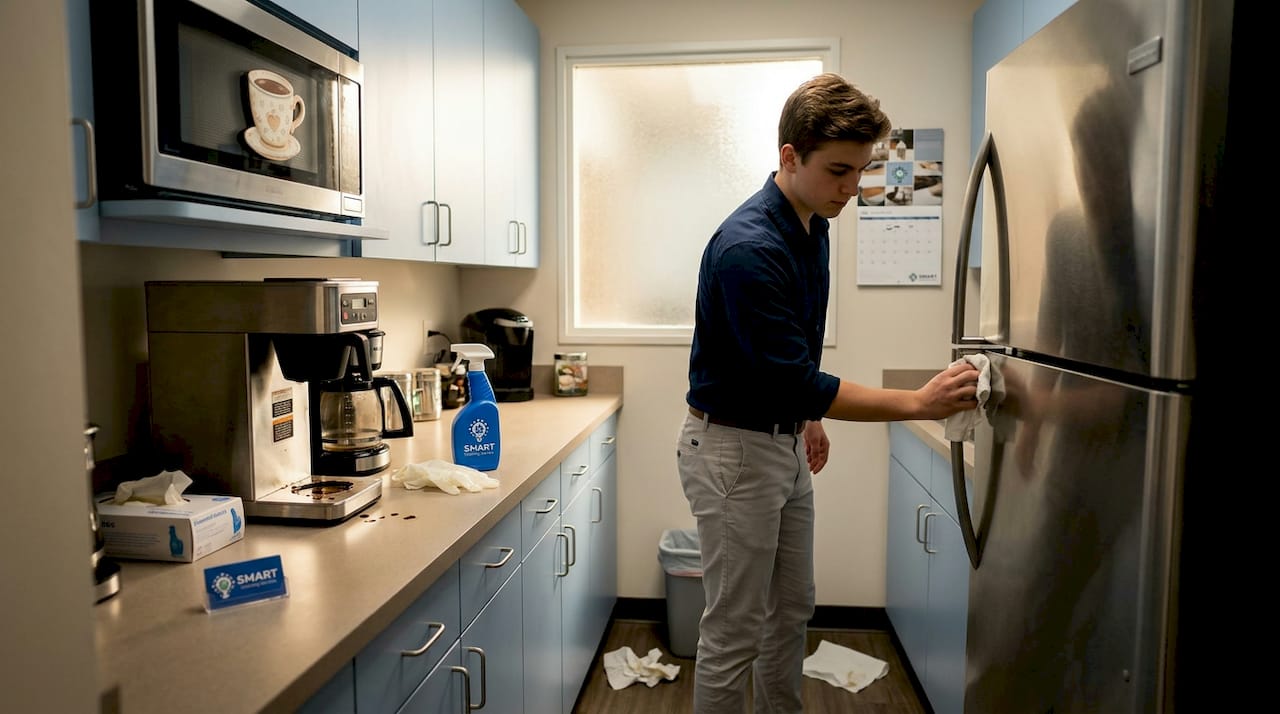
Kitchen sink faucets and break room appliances are among the most overlooked contamination hotspots in any office. Most teams clean the coffee maker but never disinfect the handle. Most teams wipe the counter but skip the faucet.
Cleaning vs. disinfecting: a critical distinction
These two steps are not interchangeable. Cleaning physically removes contaminants like grease and dust, while disinfecting chemically kills pathogens. You need both, in that order, for the process to work. Disinfecting a surface that hasn’t been cleaned first is like applying a bandage over dirt.
The other mistake nearly every office makes: wiping a surface and immediately moving on. Disinfectants require 3 to 10 minutes of wet contact time on the surface to actually kill germs. Spraying and immediately wiping is just cleaning with an expensive product.
Top office hygiene practices to implement right now:
- Disinfect keyboards, mice, and desk phones daily with wipes rated for electronics
- Post hand hygiene reminders near restrooms, the kitchen, and building entry points
- Assign one person per week to audit the break room for forgotten food and expired items
- Provide personal hand sanitizer dispensers at workstations
- Include restroom door handles in the daily disinfecting round, not just the restroom surfaces
- Replace shared communal items (like communal pens) with individual alternatives where possible
Pro Tip: Train your staff on product labels before handing them a disinfectant. A five-minute walkthrough on dwell time and dilution ratios improves compliance dramatically and actually reduces the volume of product you go through.
The connection between clean offices and employee health outcomes is well documented, and the hygiene practices above are where that connection starts.
Organizing for long-term cleanliness
Maintaining an organized workspace is not a personality trait. It is a system. Without a physical structure that makes order easy, even diligent employees will default to piling, stacking, and storing things in the wrong places.
Desk zoning and the 3-P rule
Divide each desk into three zones: active work (only what you’re using right now), daily tools (stapler, notepad, charger), and staged items (things that need action but not immediately). This desk zoning approach keeps surfaces clear without requiring constant conscious effort.
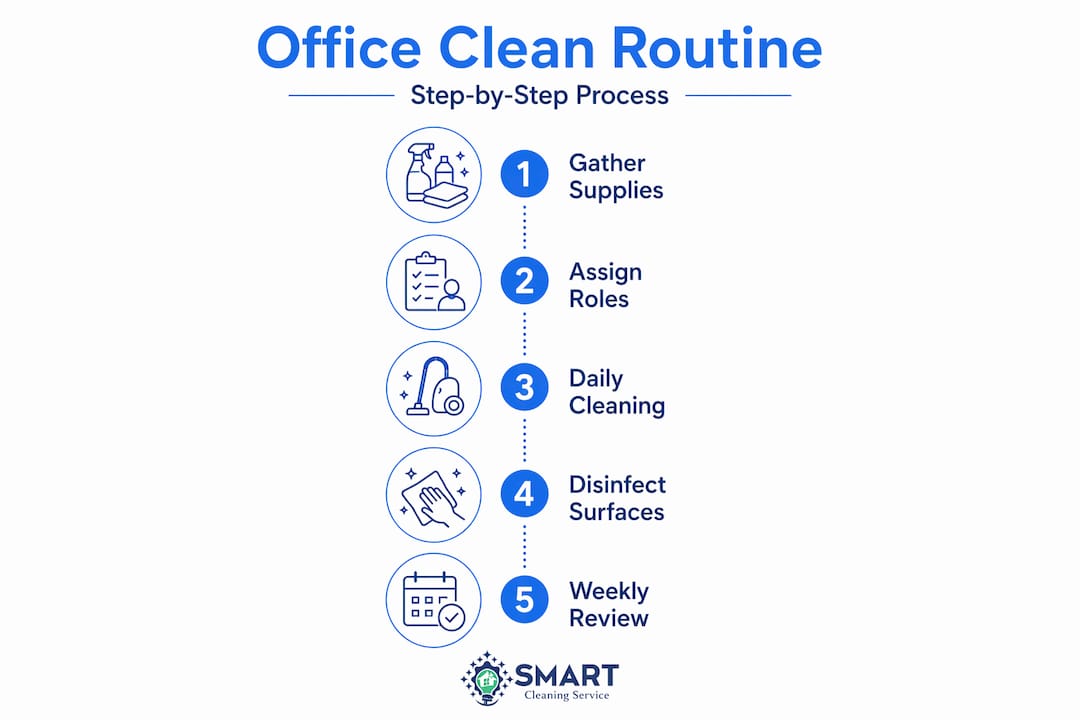
The 3-P rule adds a behavioral layer: Plan what needs to be on your desk each morning, Protect that layout by returning items after use, and Pick up at the end of every day without exception. Apply this as a team standard, not just a personal preference.
Cable management is underrated in office organization discussions. Exposed cables collect dust, create visual clutter, and make cleaning harder. Cable trays, velcro ties, and desk grommets cost very little but significantly reduce the time it takes to wipe down work surfaces. Proper storage in designated areas also prevents trip hazards and fire risks per OSHA guidance, so it is both a cleanliness and a safety issue.
| Organization Approach | Primary Benefit | Best For |
|---|---|---|
| Desk zoning | Reduces clutter accumulation | Individual workstations |
| Cable management | Speeds up surface cleaning | Open-plan and tech-heavy offices |
| Centralized filing system | Eliminates paper piles | High-document environments |
| Clean desk policy | Sets a visible standard | Teams with shared or hot-desking setups |
| Labeled storage bins | Reduces misplaced items | Supply rooms and shared storage areas |
Tips for decluttering your office often focus on one-time purges, but the real gain comes from designing storage so that putting things away is faster than leaving them out.
Troubleshooting common mistakes and monitoring standards
Even with a solid system, gaps appear. The most common issues are not laziness. They are design problems. The cleaning process breaks down when the system makes it too easy to skip steps.
Here are the most frequent mistakes and how to correct them:
- Using the wrong product for the surface. Not all disinfectants are safe for electronics or food-contact surfaces. Create a product-to-surface reference card and post it in the supply closet.
- Skipping contact time. Set a timer expectation in your cleaning training. If you wipe before the surface dries, you’re not disinfecting.
- Unassigned responsibility. When everyone is responsible, no one is. Assign named ownership for every cleaning zone on your schedule.
- Inconsistent scheduling. Cleaning tasks that happen “when needed” get skipped. Lock in fixed days and times, and treat them like meetings.
- No feedback loop. Conduct a monthly five-minute walkthrough with your team. Ask what is working and what is getting missed. The people doing the work know where the gaps are.
Monitoring does not require elaborate systems. A simple weekly sign-off sheet posted in each cleaning zone tells you immediately whether tasks are being completed. If you notice a pattern of skipped items in the same zone, that is a signal to adjust either the schedule or the assigned responsibility. Employee training and clear role assignments consistently improve compliance and reduce overlooked contamination.
My honest take on office cleanliness
I’ve worked with enough office managers to know that the real problem is rarely motivation. It’s that most cleaning systems are built around what looks clean, not what is actually clean. I’ve seen offices with spotless lobbies where the break room faucet hadn’t been wiped down in weeks. That’s a design failure, not a staffing one.
What I’ve found actually works is building the cleanup into the workday itself rather than treating it as a separate task. When the end-of-day reset takes ninety seconds and everything has a designated home, people do it automatically. When it requires a checklist and extra effort, they skip it and feel guilty about it.
I’ve also learned that product knowledge matters far more than most managers expect. The difference between a team that disinfects effectively and one that just wipes surfaces is usually a single ten-minute training session on contact times and dilution. That’s it. The investment in cleaning expertise pays back in fewer sick days and a noticeably cleaner environment.
My strongest advice: stop treating a deep clean as the solution to clutter and mess. A deep clean is a reset. Daily behavior is the actual maintenance. Design your space and your routines so that order is the path of least resistance, and your office will stay clean without you having to constantly manage it.
— Wilker
Professional cleaning support for your office
Even the best in-house systems benefit from professional backup, especially for periodic deep cleans, specialized equipment, and the kinds of thorough sanitation that go beyond what a daily routine covers. Smartcleaningwa provides Seattle office cleaning services tailored to the real demands of commercial environments: licensed and insured teams, real-time updates, and consistent quality you can verify. Whether you need a recurring maintenance schedule or a one-time deep clean to reset your space, the team at Smartcleaningwa builds a plan around your specific layout and team size. You can also get a free cleaning estimate to see exactly what professional support would look like for your office.
FAQ
How often should office desks be cleaned?
Desks should be wiped down with a disinfecting wipe daily, especially keyboards, phones, and shared surfaces. Office desks can carry 400 times more bacteria than a toilet seat, making daily disinfection non-negotiable.
What is the difference between cleaning and disinfecting?
Cleaning removes dirt and debris physically, while disinfecting uses chemicals to kill pathogens. You need to clean a surface before disinfecting it for the process to be effective.
How long should disinfectant sit on a surface?
Most EPA-registered disinfectants require 3 to 10 minutes of wet contact time on the surface to kill germs effectively. Wiping immediately after spraying reduces the product to a surface cleaner only.
What are the most overlooked spots in office cleaning?
Kitchen faucet handles, elevator buttons, shared printer controls, and break room appliance handles are consistently missed. Including these in your daily high-touch disinfecting round closes most of the contamination gaps in a typical office.
How do you keep an office organized long-term?
Use a zone-based desk system, enforce a clean desk policy, and schedule regular office cleanouts to prevent clutter from accumulating. Visible, labeled storage combined with daily resets sustains order without requiring constant management effort.
Recommended
- Smart Cleaning Service™ House Cleaning Seattle Kirkland Bellevue Redmond
- Smart Cleaning Service™ House Cleaning Seattle Kirkland Bellevue Redmond
- Smart Cleaning Service™ House Cleaning Seattle Kirkland Bellevue Redmond
- Smart Cleaning Service™ House Cleaning Seattle Kirkland Bellevue Redmond